01 / REPLAY
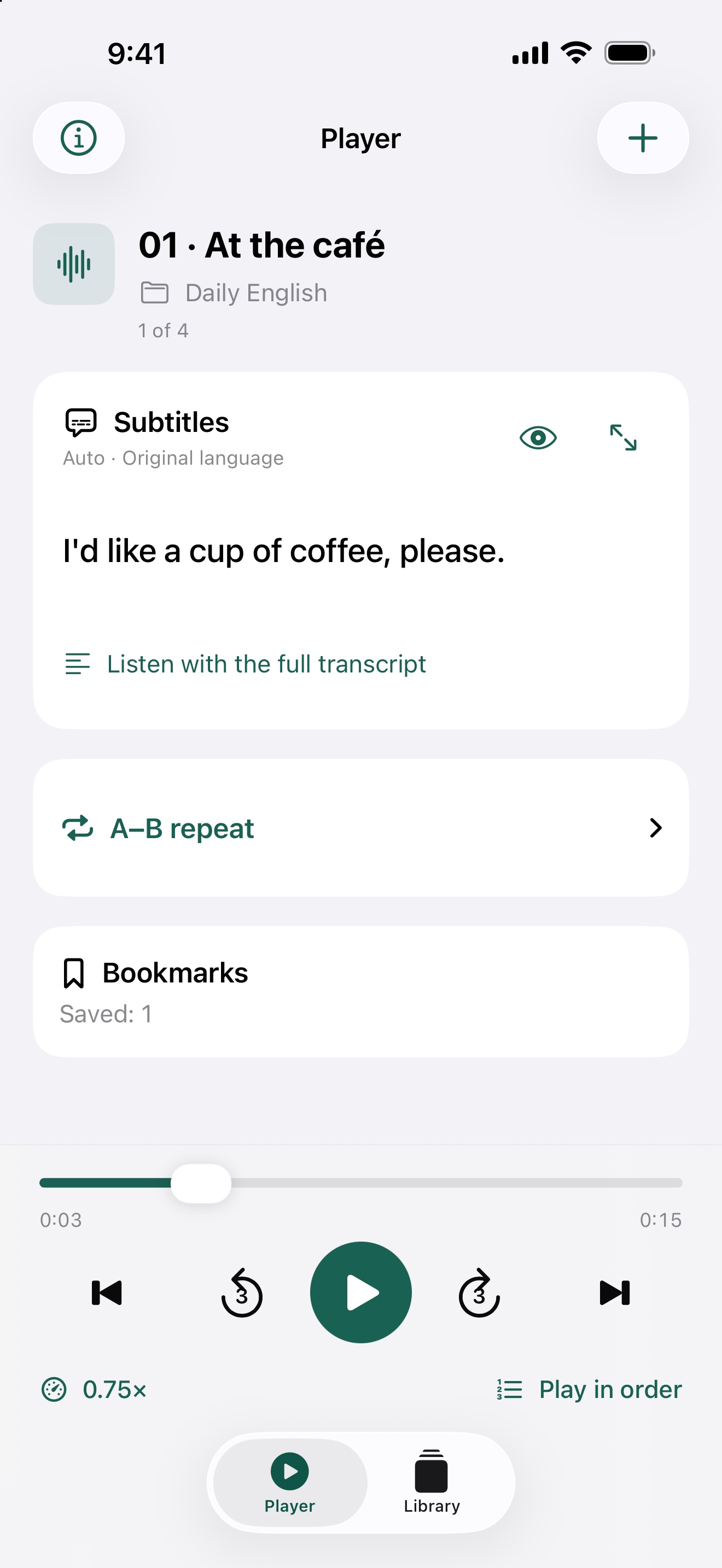
Back just 3 seconds.
Catch the words you missed. Change the speed from 0.5× to 2×, or repeat an A–B section as often as you like.
YOUR AUDIO. YOUR PACE.
Go back to the words you missed.
Make your own audio easier to learn from, at your pace.
A language audio player for iPhone & iPad
LISTEN AT YOUR PACE
Get more out of the audio you already have. The controls you need for everyday listening, together in one place.
01 / REPLAY
Catch the words you missed. Change the speed from 0.5× to 2×, or repeat an A–B section as often as you like.
02 / FOLLOW
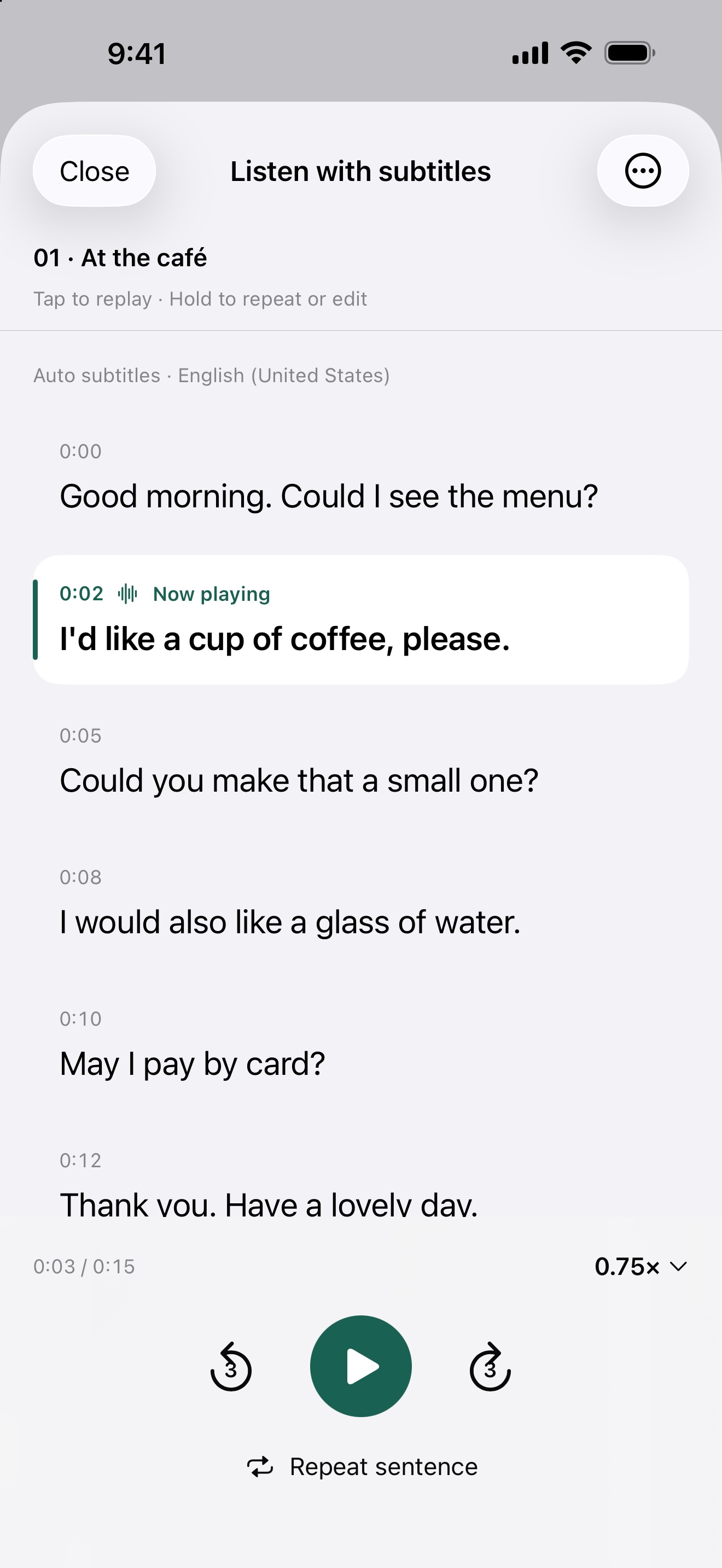
Follow original-language subtitles in time with your audio. Tap a phrase to listen again, right from that point.
03 / ORGANIZE
Add audio or folders from Files. Reorder tracks, delete in batches, and keep your place with bookmarks.
FOLLOW THE WORDS
Open the full transcript and replay a phrase. Repeat it when you need a little more time. Move between sound and text at a rhythm that works for you.
No account, no ads, no study streaks to keep up. Your audio and subtitles are handled in the app, without being sent to a developer server.
How your data is handled